
Support
Help with licenses, permissions and the occasional clip that won’t cooperate. A real person reads every message.
Include your macOS version and, for a problem with a clip, the notes from its job in VidFeather.
Your license
Activating Pro
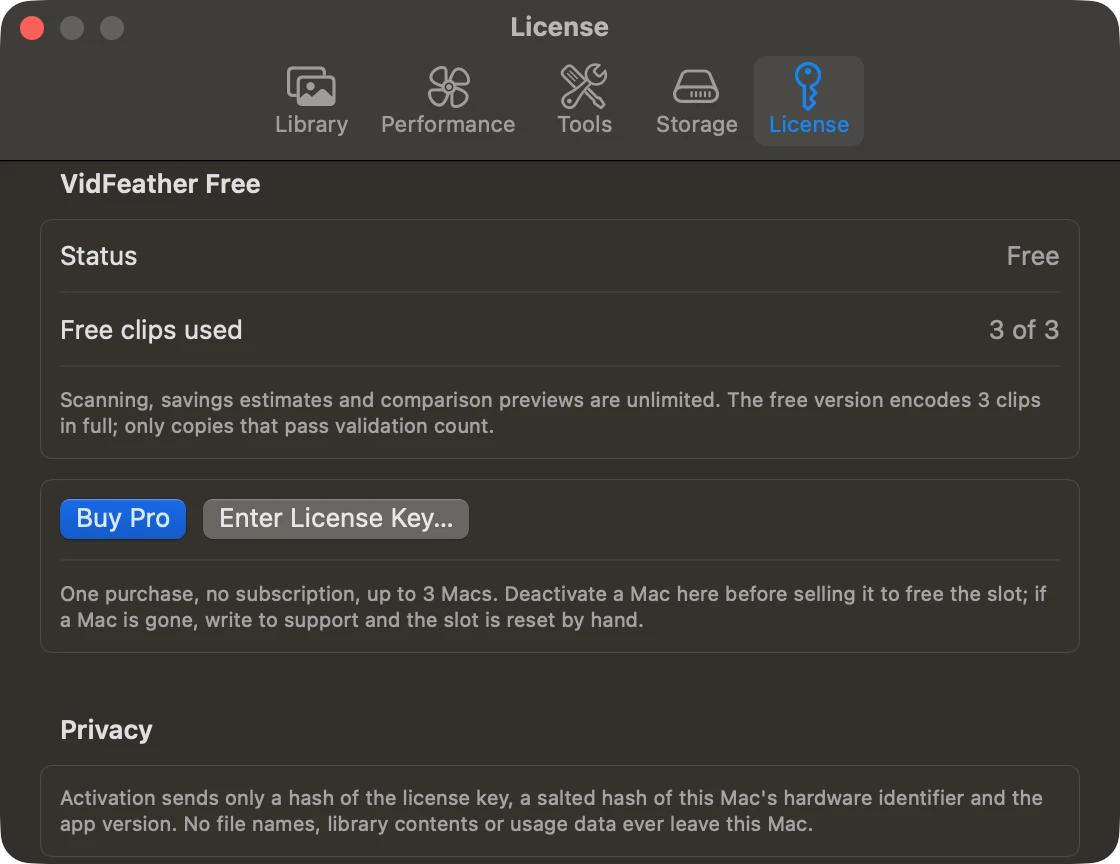
After buying, your license key arrives by email from Lemon Squeezy. In VidFeather choose Settings → License → Enter License Key…, paste the key and click Activate. Your Mac needs to be online for this one step.
Moving to another Mac
One license covers up to 3 Macs. To free a slot, open Settings → License on the Mac you no longer use and choose Deactivate This Mac, then enter the same key on the new one. If the old Mac was sold, lost or broken, email us the key and we will reset the slot by hand.
Lost your key
Search your email for a message from Lemon Squeezy, or look it up at app.lemonsqueezy.com/my-orders with the email address you used to buy. Still nothing? Write to us.
Working offline
Pro checks in about once a month in the background. If it can’t reach the activation server, it keeps working for another 30 days, then asks to go online with a Check Again button. It never stops in the middle of a job.
Permissions
VidFeather doesn’t see my library
Open System Settings → Privacy & Security → Photos and set VidFeather to Full Access. Then quit and reopen VidFeather.
Titles, captions or keywords were not copied
These go through Photos’ scripting support, which needs your permission. Open System Settings → Privacy & Security → Automation and turn on Photos under VidFeather. Then select the jobs on the Completed screen and choose Copy Titles and Captions Again.
Clips
A job failed
The job’s notes say which check failed. The copy is kept as a .FAILED.mov file in your Compressed folder so you can look at it, and the original is untouched. Retry it, try other settings, or send us the notes.
A copy wasn’t smaller than the original
Some clips are already compressed efficiently, often 1080p videos. VidFeather doesn’t keep a copy that would not save space. Try the Compact preset, or leave that clip as it is.
It’s slow
Clips stored only in iCloud have to be downloaded first, which is usually the slowest part. Quiet mode also trades speed for silence on purpose. For speed, choose Apple’s hardware encoder in Advanced Settings and turn quiet mode off.
Some albums are missing on the copy
Photos doesn’t let apps add to shared, smart, synced or imported albums. The job’s notes list each album that was skipped, so you can add the copy by hand if you want.
The copy looks brighter or different from the original
That shouldn’t happen, and we would like to see it. Please write to us with the clip’s details from the inspector (resolution, frame rate, range) and the iPhone or camera model.
More
See questions and answers, how it works and the changelog.